Skip to content

Get ready in champ select. Understand the game after.

Featherward opens on its own when your champ select starts: both teams, your matchup, the build and runes that work at your rank. Once the game is over, it shows you where it was won or lost.

Coming soon. Free, no account, in English and French. Optional Premium later.

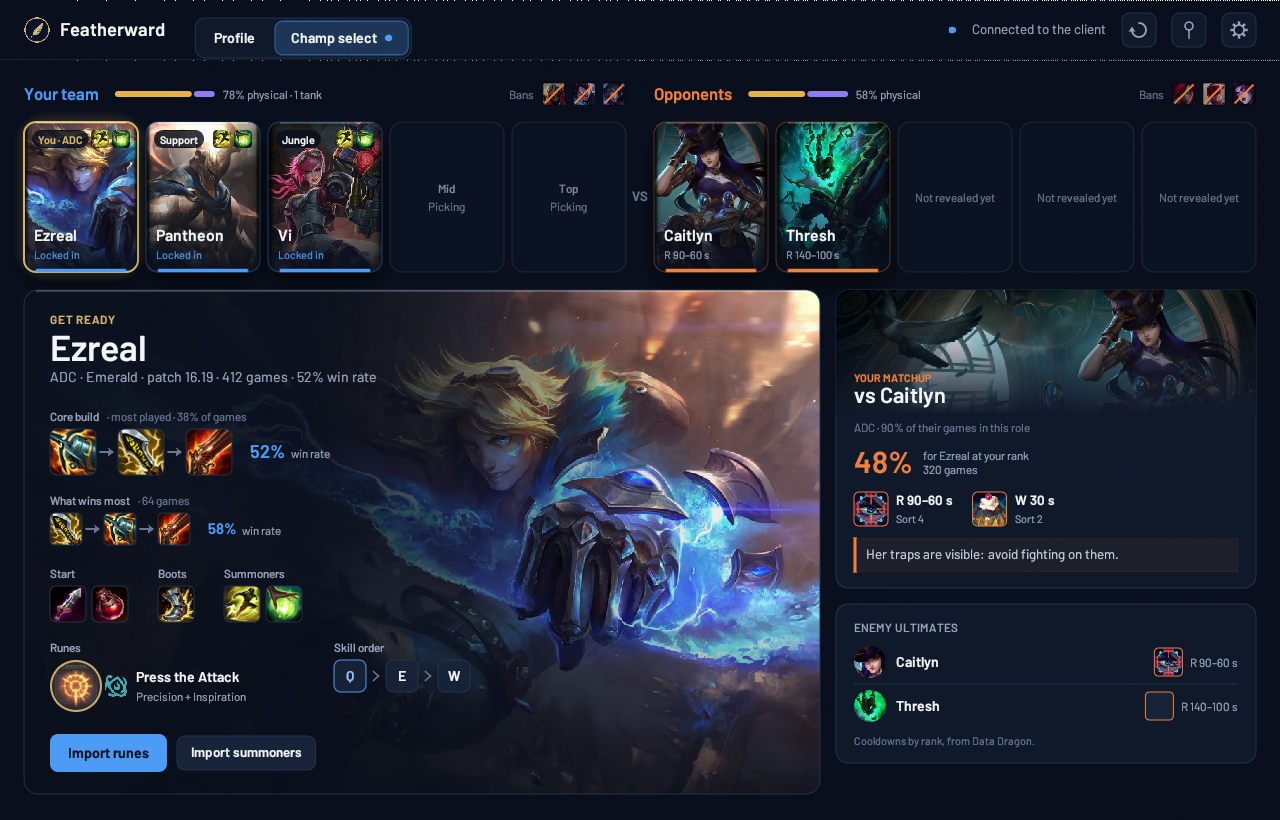
Featherward's champion select view once locked in: both teams, your champion with its build and runes, your matchup and the enemy ultimates.
In champ select, once you've locked in.

What it does

Featherward works before and after your game. During the game, it does nothing.

In champ select, before you lock in

Until you lock in, you see your champions ranked for this game: their win rate against your likely opponent, their win rate at your rank, and what they bring when your team is short on magic damage or frontline.

Up top, both teams with their roles and the enemy ultimate cooldowns.
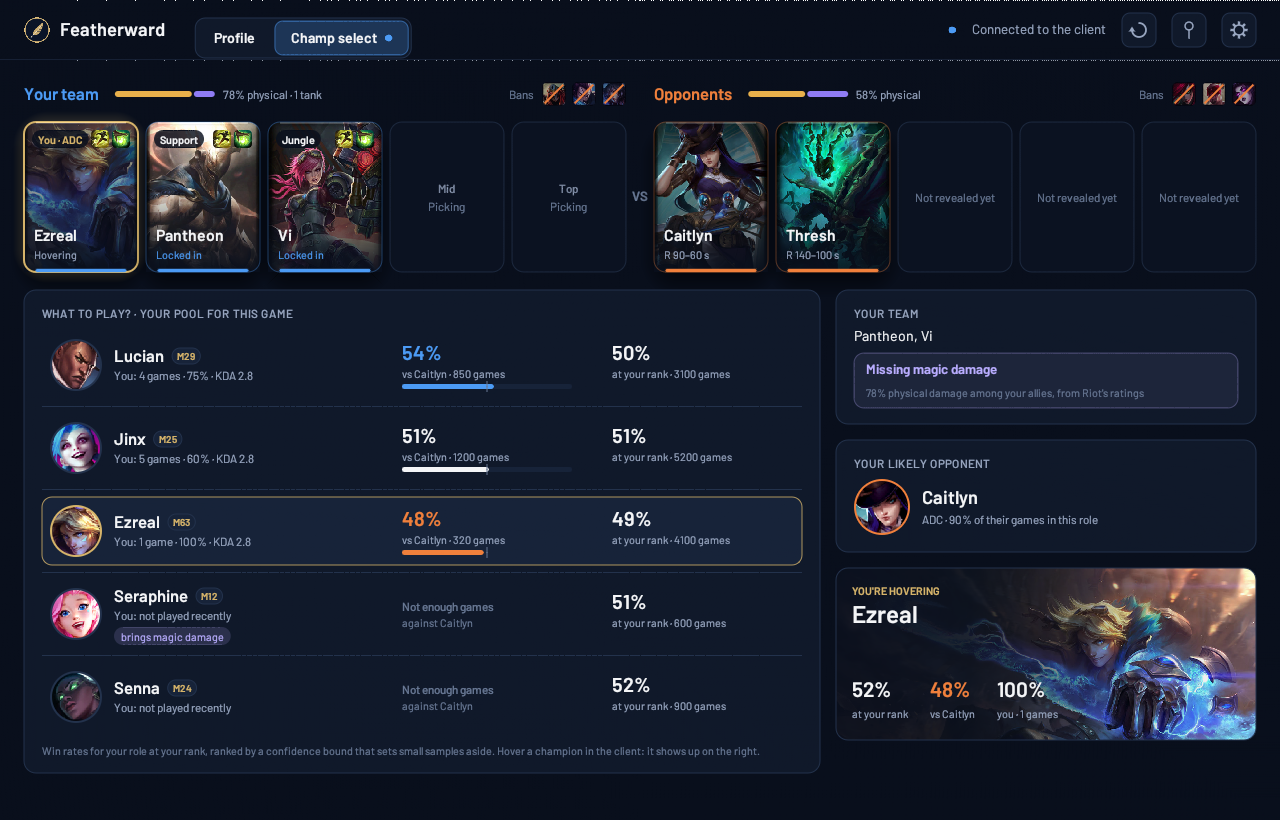
Before locking in: your pool ranked against your likely opponent and at your rank, what your team is missing and the champion you're hovering.

Once you've locked in

Your champion takes center stage with the most played build at your rank, and the one that wins the most when they differ. Every number comes with its game count.

Runes and summoners import in one click, into a separate "Featherward" page. Your own pages stay untouched.

A suggested rune page, drawn like in the client, with its import button.

After the game

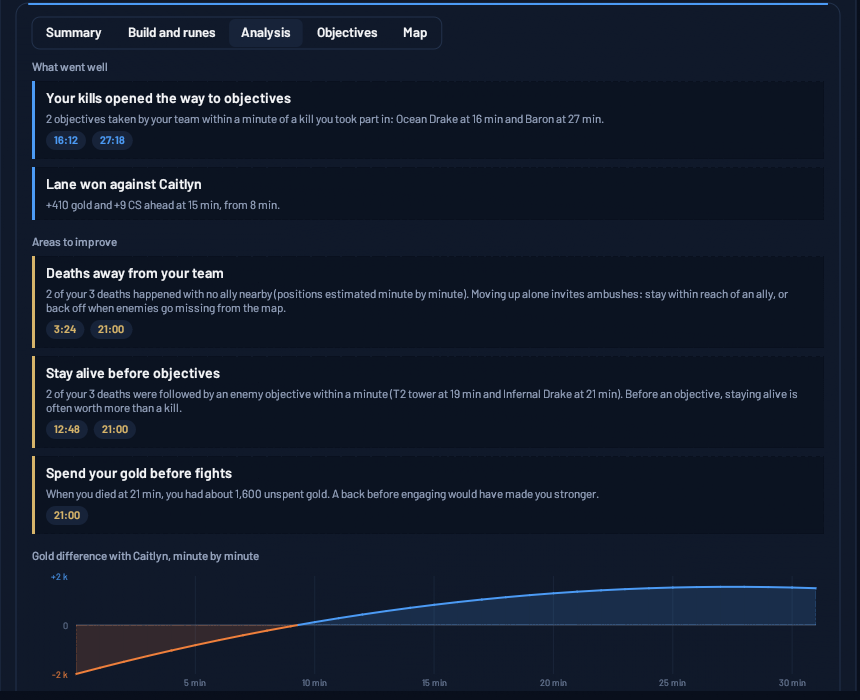
Open a game from your match history. Featherward picks out what went well and up to three things to work on, each with the exact moment it happened: a death far from your team, a drake lost right after, gold sitting in your pocket, a missed teamfight.

It doesn't grade you. It points at specific moments of your game.

A game's Analysis tab: strengths, things to work on and gold difference with your matchup.

The timeline

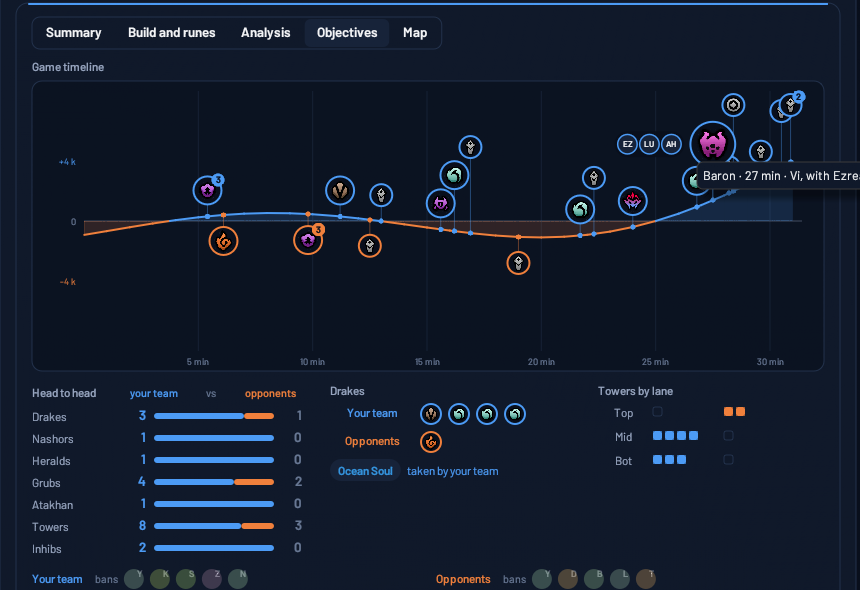
Objectives pinned on your team's gold curve, with the game's own icons: drakes, Baron, Herald, Voidgrubs, towers. Hover one to see who took it and who was there.

A game's timeline: objectives taken by each team on the gold lead curve.

The heatmap

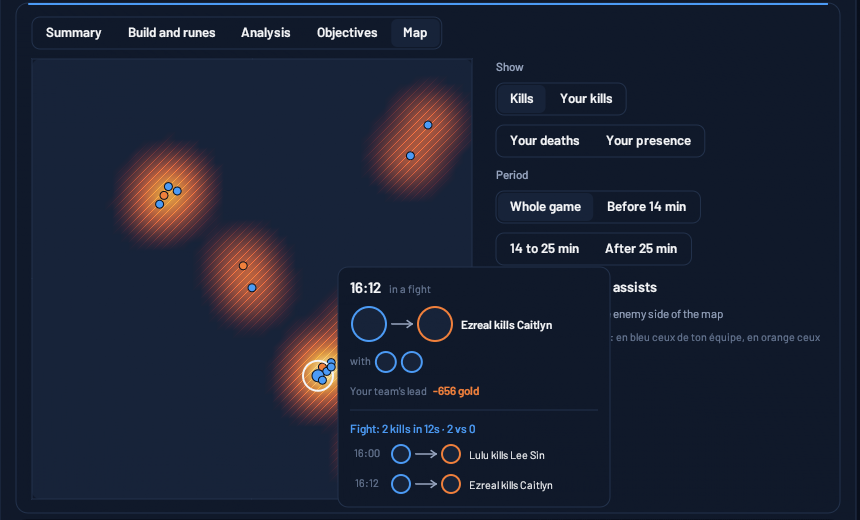
Where the kills happened, where you died, where you spent your time. Click a dot to replay the fight: who was there, and what it cost.

A game's heatmap, with a kill's card open.

Your profile

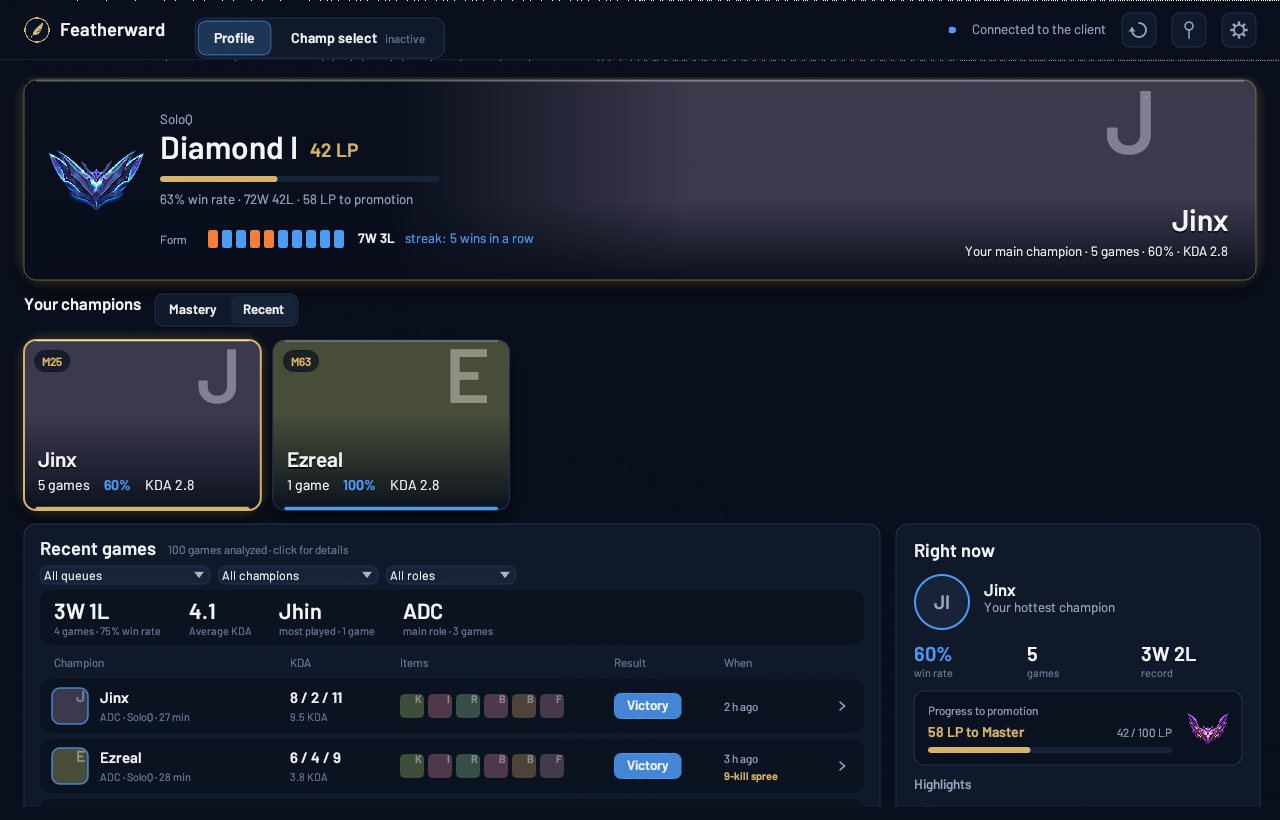
Click the feather next to the clock: your rank, your recent form, your roles, your champions and your last games. It works outside champ select too.

The Profile view: rank, form over the last ten games, roles, champions and match history.

How it works

Nothing to set up: Featherward reads your League of Legends client.

  1. Start it

    A feather shows up next to the clock. At rest, it uses about 5 MB of memory and no CPU.

  2. Queue up

    As soon as champ select starts, the window opens and follows your team's picks, bans and hovers.

  3. Play, then come back

    During the game, Featherward does nothing. Afterwards, open the game from your match history.

Free, or Premium

Everything you've seen above is free, and will stay free. Premium adds two big features for players who want to go further.

Free

€0

  • Champ select help: your pool ranked, the build, runes and summoners to import, your matchup
  • Your game breakdowns, timelines and heatmaps
  • Your profile and match history
  • TFT, solo and Double Up (coming soon)

Premium

€3 a month or €30 a year

  • Game recording, on your PC, with kills and objectives marked so you can jump straight to the moments that matter.
  • Data Studio: every game kept over time (the client only keeps 20), and your stats to explore however you like, by champion, role, patch or game length.

Coming after launch. Recording only runs if you turn it on.

Lightweight, and safe

Your account stays safe

Featherward doesn't read game memory and does nothing in game. It only uses what Riot opens to third-party tools.

No FPS hit

About 5 MB at rest, and nothing at all during the game: its window closes before loading.

No account, no ads

Install it, it reads your client. No sign-up, no ads, no tracking.

Your stats stay on your PC

Everything is computed on your computer. What it reads, and what it keeps.

FAQ

Will it slow down my game?

No. At rest, it uses about 5 MB and no CPU. Its window only exists during champ select, and closes before the game, or when you open it yourself.

Where do the builds and matchups come from?

From recent ranked games at your rank and on your server, fetched with Riot's official API. The game count is always shown, and a build played too few times is never pushed forward.

Where does the game breakdown come from?

From your client, which keeps the details of your last 20 games. Featherward reads them when you open one and does the math on your PC.

Is it allowed by Riot?

Featherward follows Riot's rules for third-party tools: it only shows what the client already shows or general stats, unmasks no one, makes no decision for you and does nothing during the game.

Is it free?

The core of it, yes, and it will stay that way. Premium, at €3 a month or €30 a year, will add game recording and the Data Studio. See what's free and what's Premium.

What does it run on?

Windows, like the League of Legends client. In English or French, following your client's language.